


Find My Device Safety
Unwanted Tracking Prevention – True Wireless Earbuds
Overview
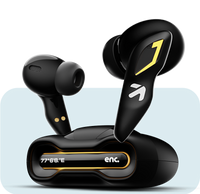
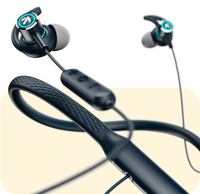
These True Wireless Earbuds ("earbuds") support Google’s Find My Device (FMD) network to help the owner locate them if they are lost. Google and Android include built‑in protections to reduce the risk of unwanted or unknown tracking.
This page explains what to expect if you find these earbuds or receive an Android alert related to them.
How unwanted tracking is detected
Android devices automatically monitor for compatible accessories that may be moving with you without being associated with your Google account.
If such activity is detected, Android may show an Unwanted Tracking Alert and provide guidance through the Find My Device interface.
If you find these earbuds
If you find a pair of these earbuds and believe they may belong to someone else:
- The earbuds are associated with the owner’s Google account
- Location reporting is handled entirely through Google Find My Device
- There is no separate app or hardware control on the earbuds to manage tracking
Android may provide on‑screen information and safety actions through the Find My Device interface.
Disabling or stopping location reporting
These earbuds do not include a manual hardware option for a third party to disable tracking.
Location reporting will stop automatically when one or more of the following occurs: - The earbuds are out of Bluetooth range of participating Android devices - The earbuds are placed in the charging case and are no longer broadcasting - The earbuds’ battery is depleted - The owner removes the earbuds from their Google account
All available actions and alerts are provided by Android through Find My Device.
Why there is no manual disable option
For this product category, all Find My Device and unwanted‑tracking protections are implemented at the Android platform level. This ensures consistent alerts, safeguards, and privacy protections across compatible devices.
Need help or have concerns?
If you have questions or safety concerns related to these earbuds, please contact our support team:
Support: app.dev@boultaudio.com
We take user safety and privacy seriously and work closely with Google to comply with unwanted‑tracking prevention requirements.

